Touchscreen kiosk
Tegeta Cars
A self-service kiosk where visitors choose a car, pick its configuration and leave their number so the sales team can call them back.
Role
Lead UI/UX Designer
Timeline
3 weeks
Team
Product Manager, developers
Platform
Touchscreen kiosk
Status
Live at Tegeta central branch
Challenge
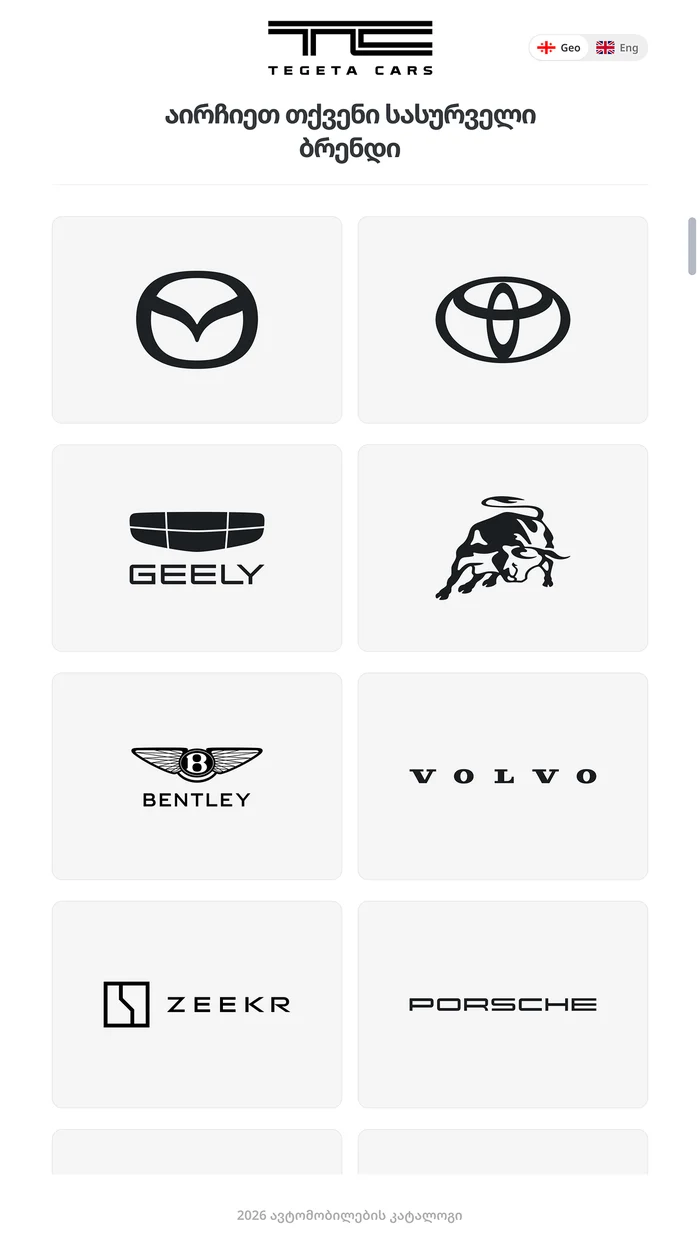
The business came with ready content and a rough structure sketched in Illustrator. The kiosk had to take a visitor from choosing a brand to sending a request without help from a salesperson.
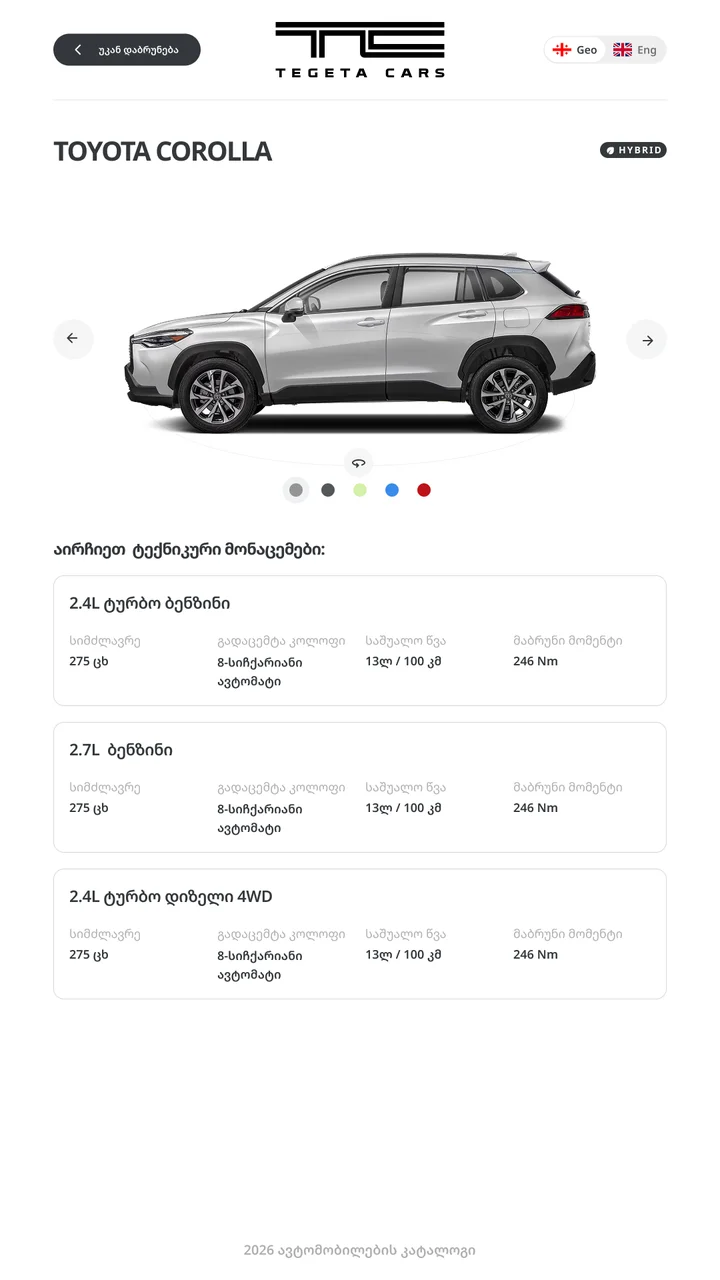
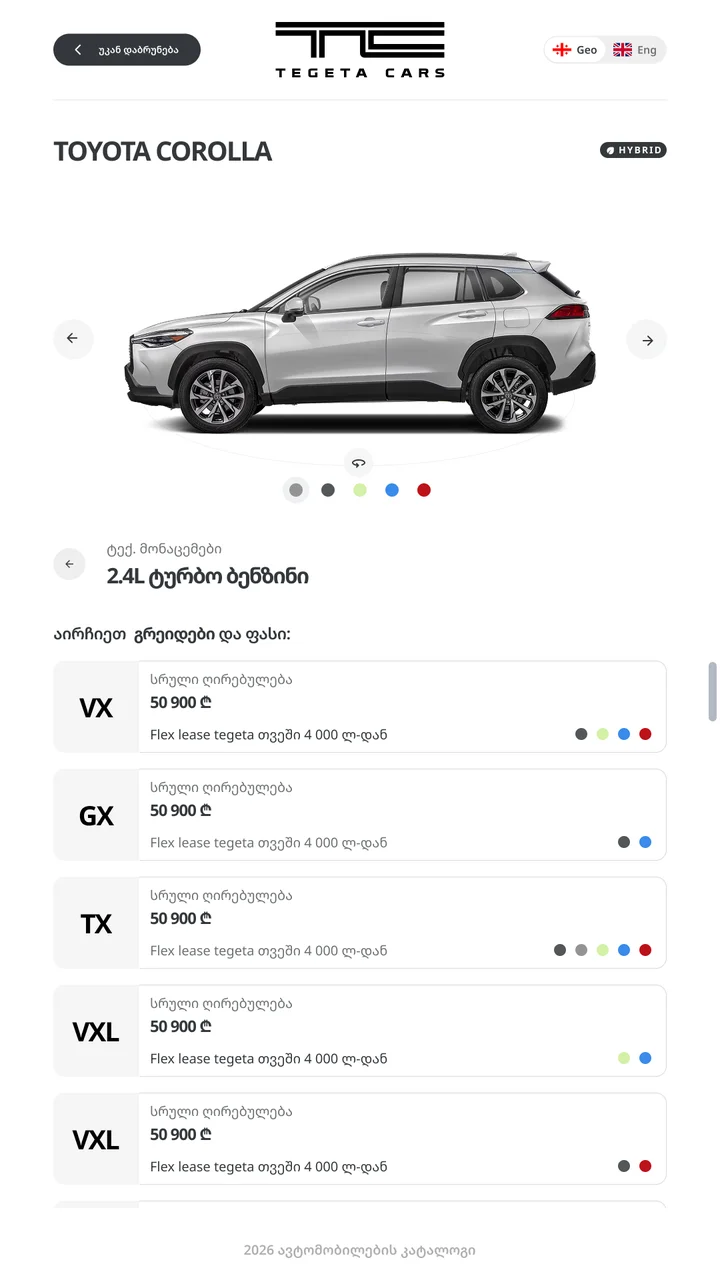
The hard part was configuration. Each model can have several engines, and each engine has its own grades and prices. Putting all of it on one screen would have turned into a wall of cards.
Role
I led the design and worked on the full flow and every screen, including loading, error and success states. I worked with a product manager and developers, keeping the content and brand from the original brief.
Solution
One choice per step, with the car you picked always in view.
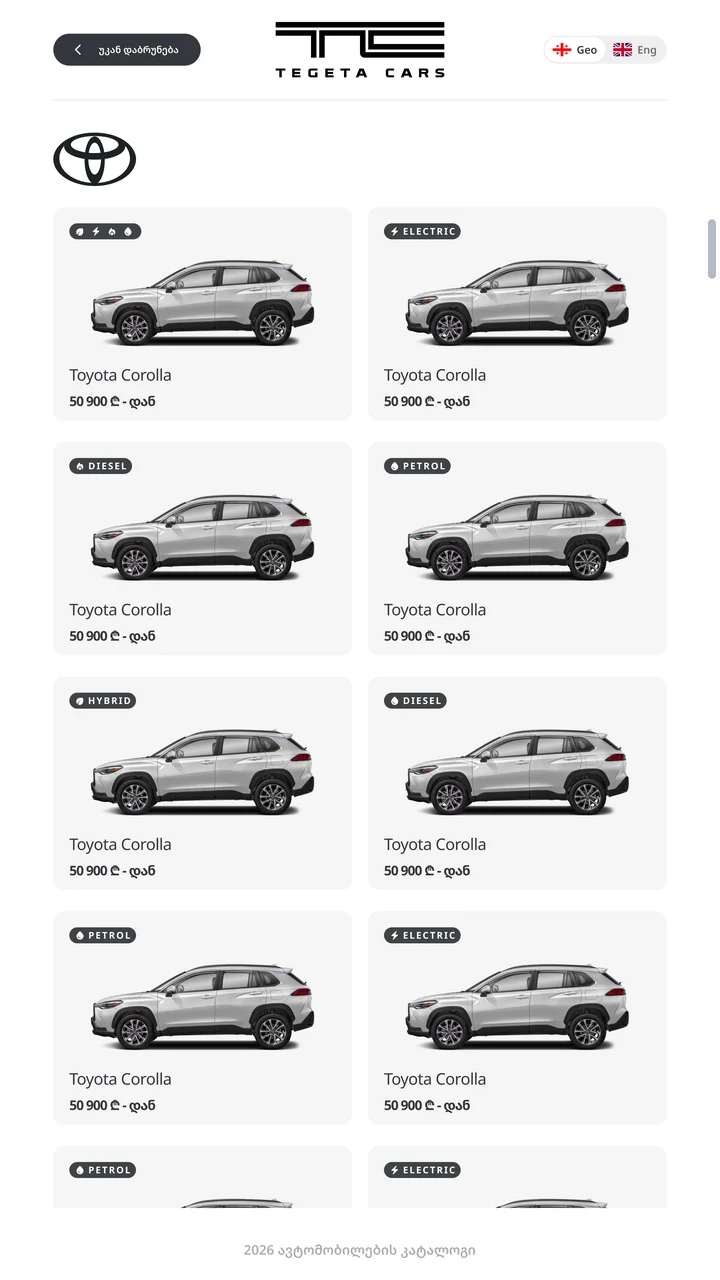
Instead of fitting everything on one screen, I split it into steps. Visitors pick a brand, then a model, then an engine, and only then see the grades and prices for that engine. If a model has just one engine, that step is skipped.
Leaving a request
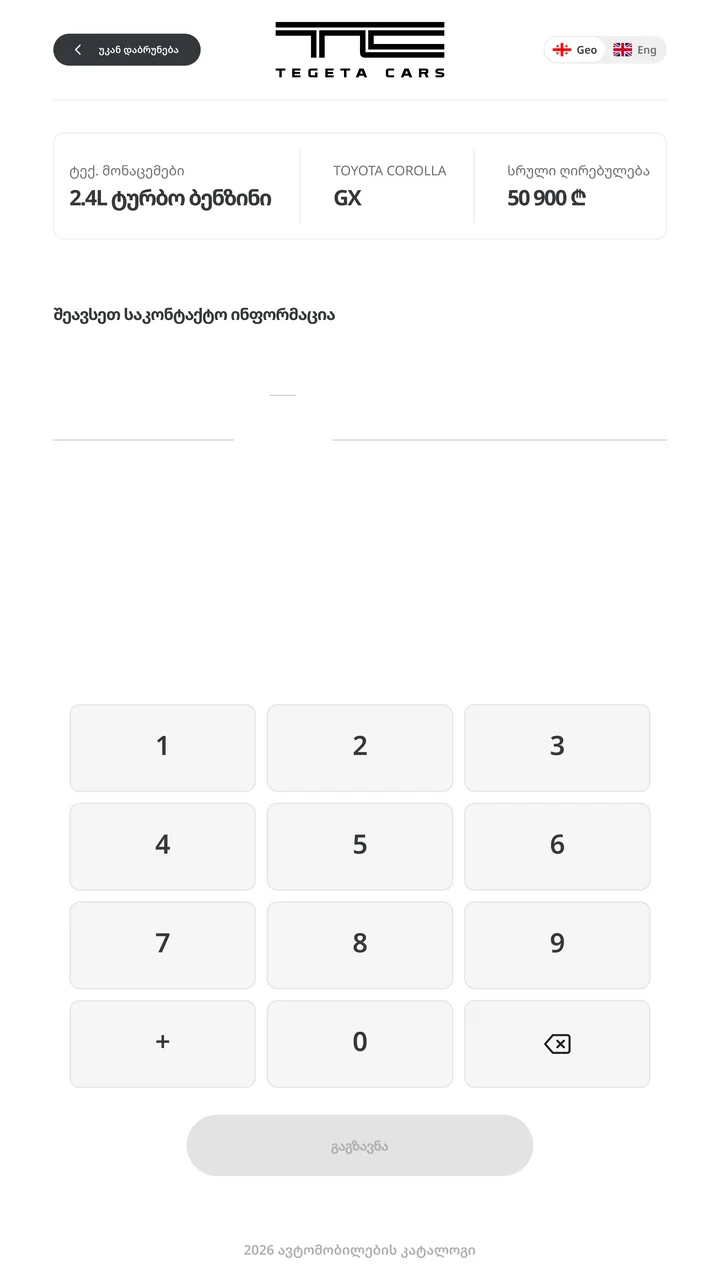
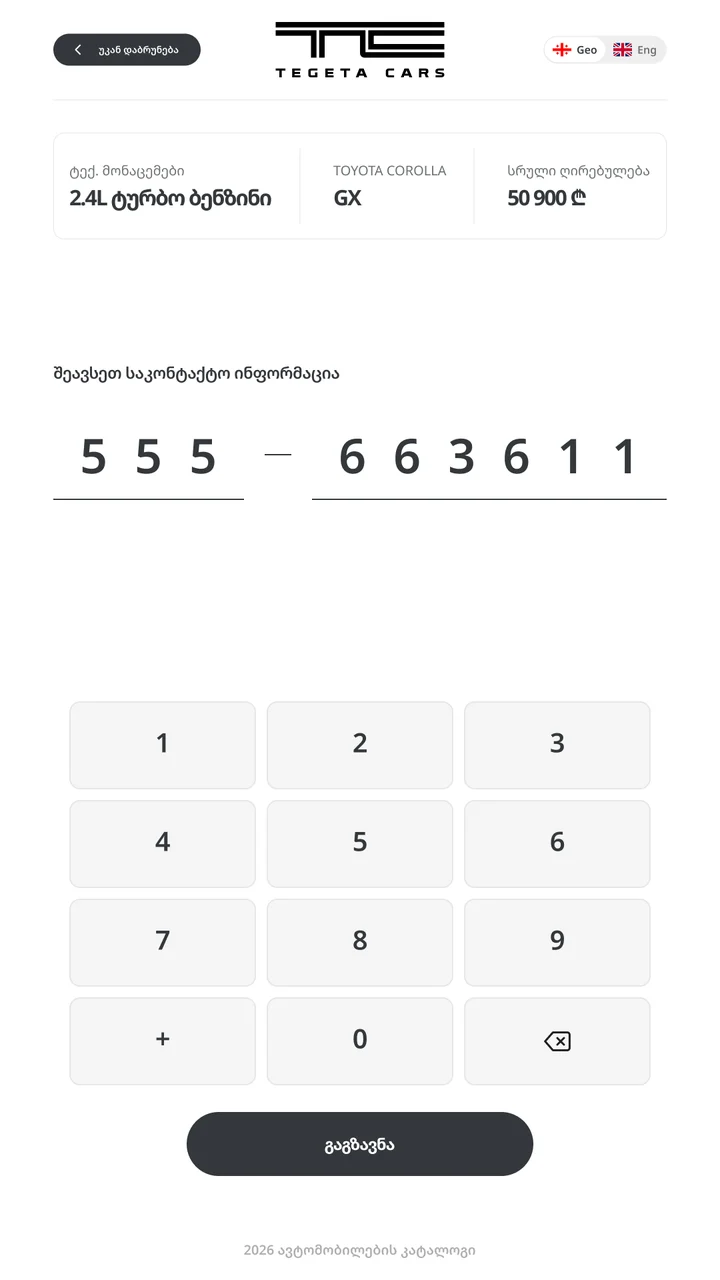
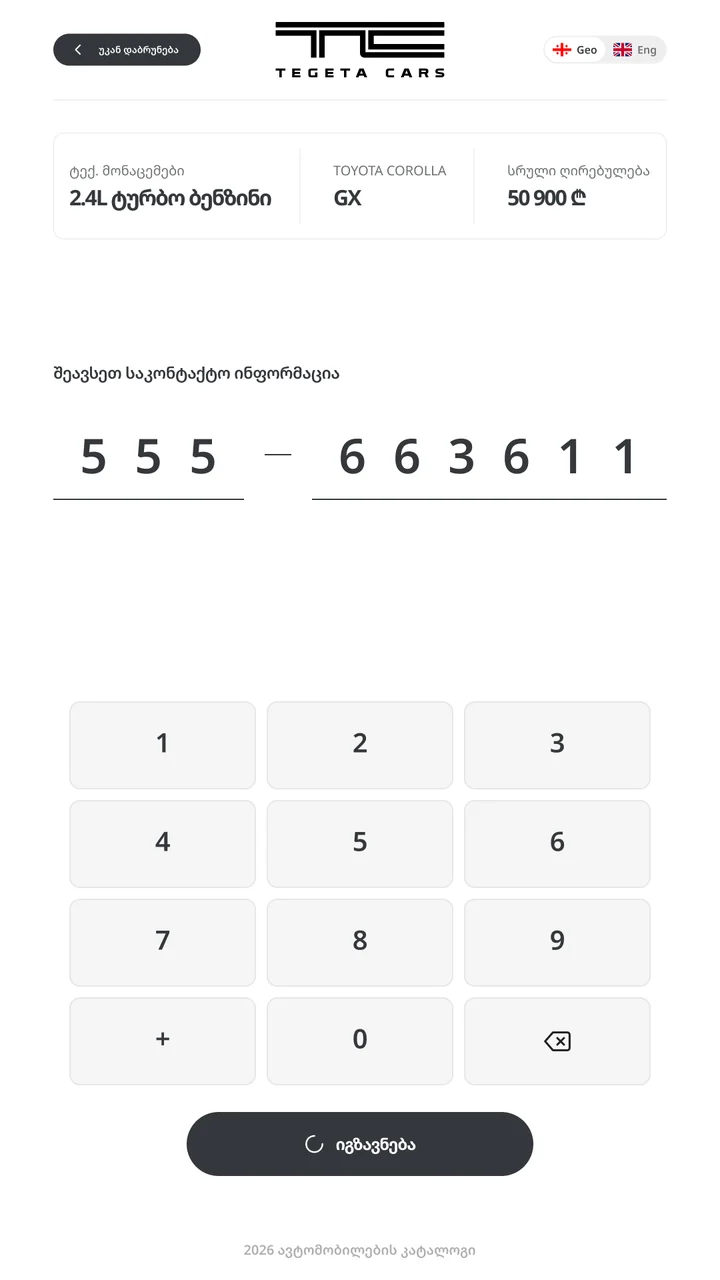
Only a phone number is needed, so I used a numeric keypad with large keys instead of a full keyboard. A summary at the top shows the chosen engine, grade and price, so the visitor knows exactly what they are asking about.
States
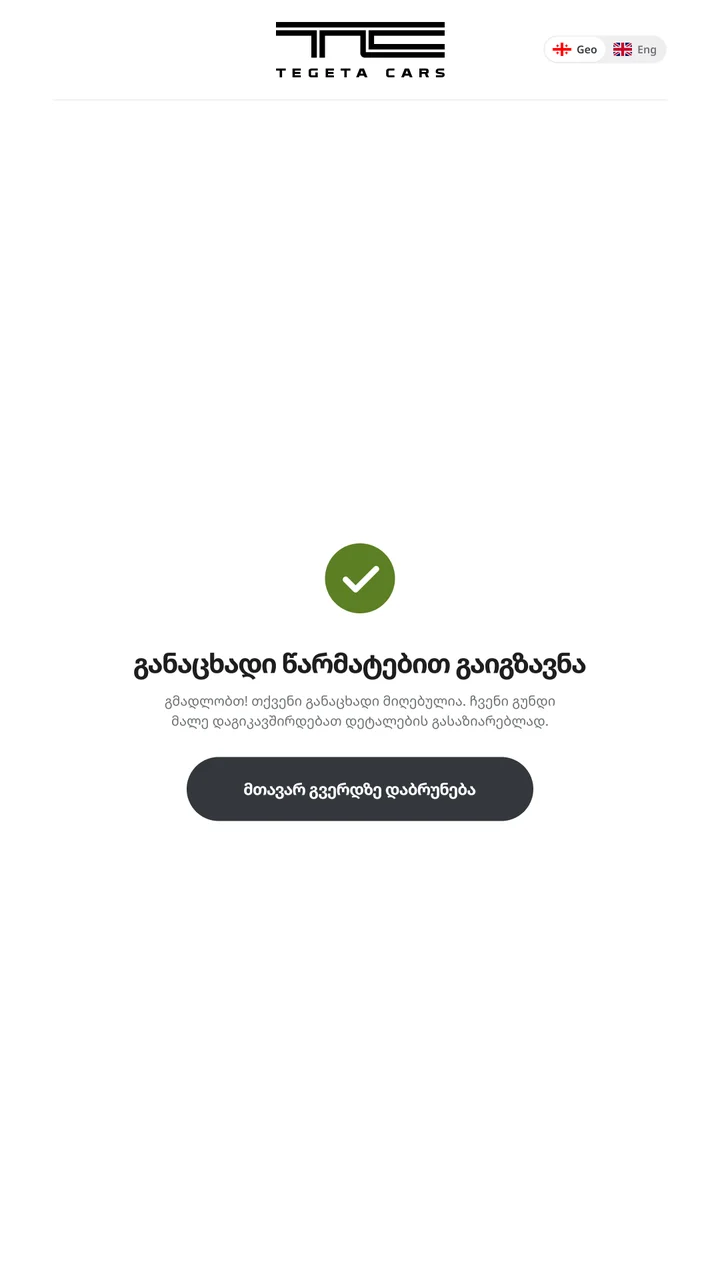
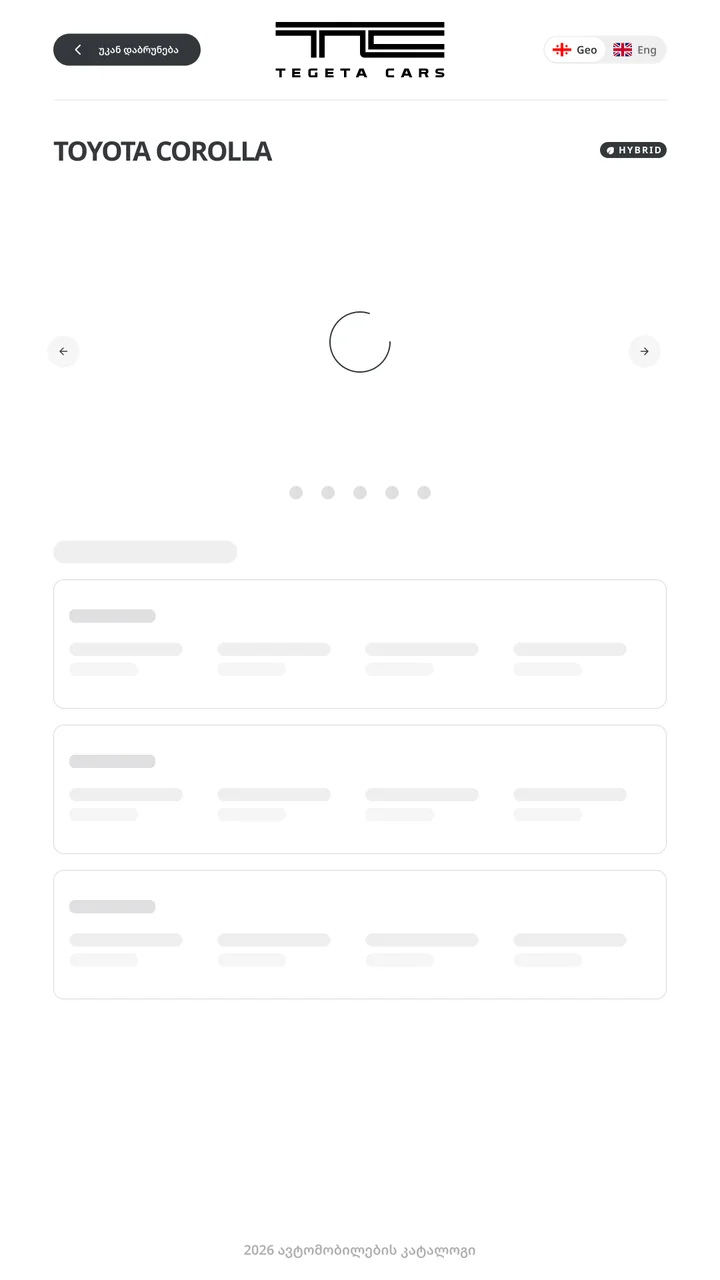
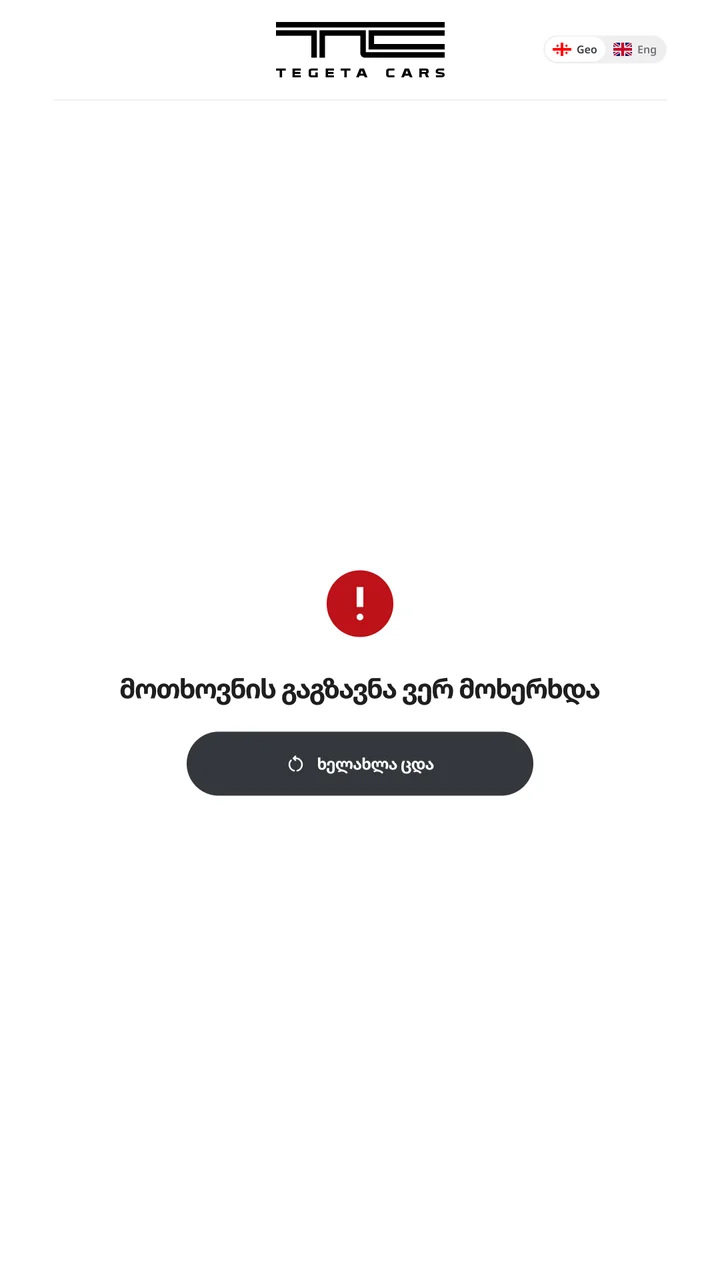
A public screen should never look frozen, so every step has clear feedback: skeletons while loading, a sending state, and an error with a retry button.
Outcome
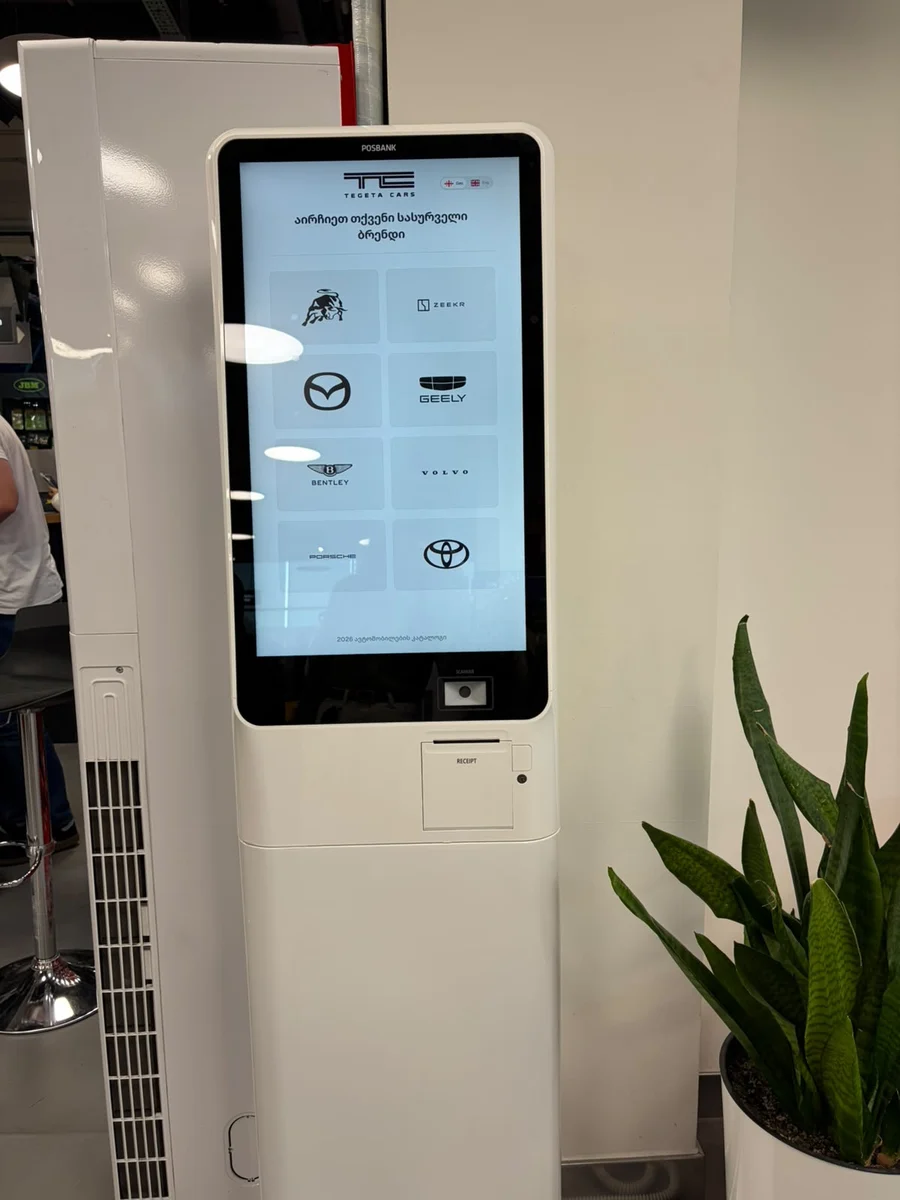
The kiosk is live. In October 2026 it was installed at Tegeta's central branch, where visitors browse cars and leave requests on their own. Each request goes to the sales team, who call the visitor back about the car they chose.
Next project
SalesApp